How to Incorporate Supply Chain Data into PCB Component Selection
The electronic component supply chain is in a constant state of fluctuation, making it difficult to keep designs on schedule and within budget. If required components are not available or purchasable, alternate parts must be sourced often requiring design modifications to accommodate differences and impacting design for manufacturability (DFM). To avoid these disruptions, engineers must analyze supply chain information during component selection and incorporate it directly into the component database to support more informed, resilient decisions and improve centralized component library management throughout the design process.
Watch how to analyze supply chain risk and incorporate it into your component selection workflow in OrCAD CIP:

Key Supply Chain Data Evaluated in CIP
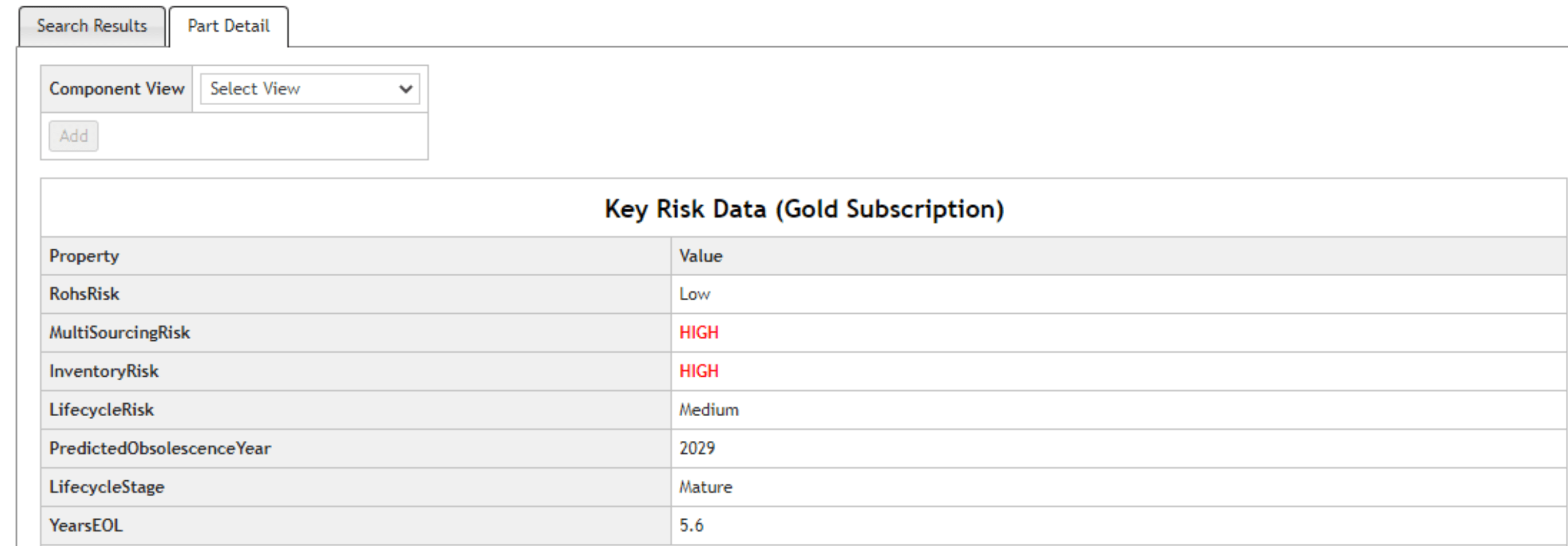
When evaluating components in OrCAD CIP, engineers can analyze critical supply chain risk data, including lifecycle stage and predicted obsolescence, inventory availability and lead time risk, multi-sourcing risk and supplier availability, and compliance data such as RoHS and environmental requirements. This information enables more informed component selection decisions before parts are added to the design.
To demonstrate how supply chain intelligence can be applied during component selection, the following workflow shows how to evaluate component risk and incorporate validated parts into your database using OrCAD CIP.
Step-by-Step Workflow in OrCAD CIP
Step 1: With a design open in OrCAD Capture CIS, select CIP > Open CIP from the menu.

Opening CIP in OrCAD
Step 2: If required, log in with your username and password to access OrCAD CIP.
Step 3: Select Compliance from the menu.

Compliance Module in OrCAD CIP
Step 4: Under the Search, ensure Keyword is selected for the Search Type.
Step 5: Enter DC-DC 5V 2A in the search field and run the search.

Searching Components and Supply Chain Risk in OrCAD
Step 6: Review the returned search results. 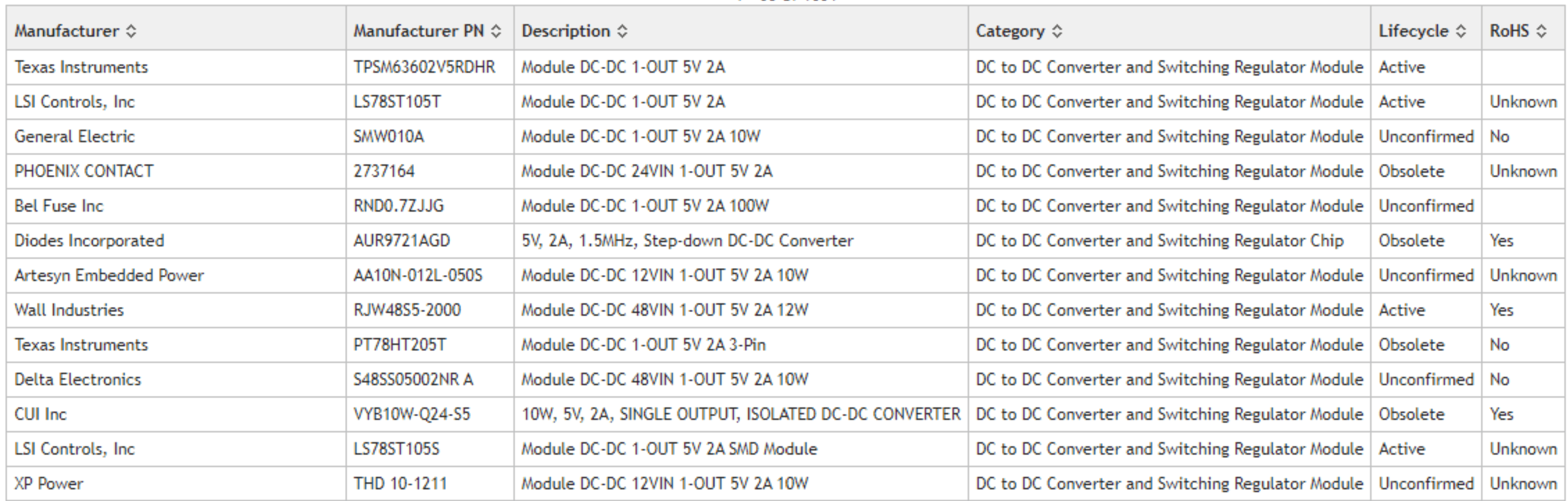
Step 7: Click the arrow next to Lifecycle to sort components based on lifecycle stage.
Step 8: Select a component and review its supply chain risk metrics.
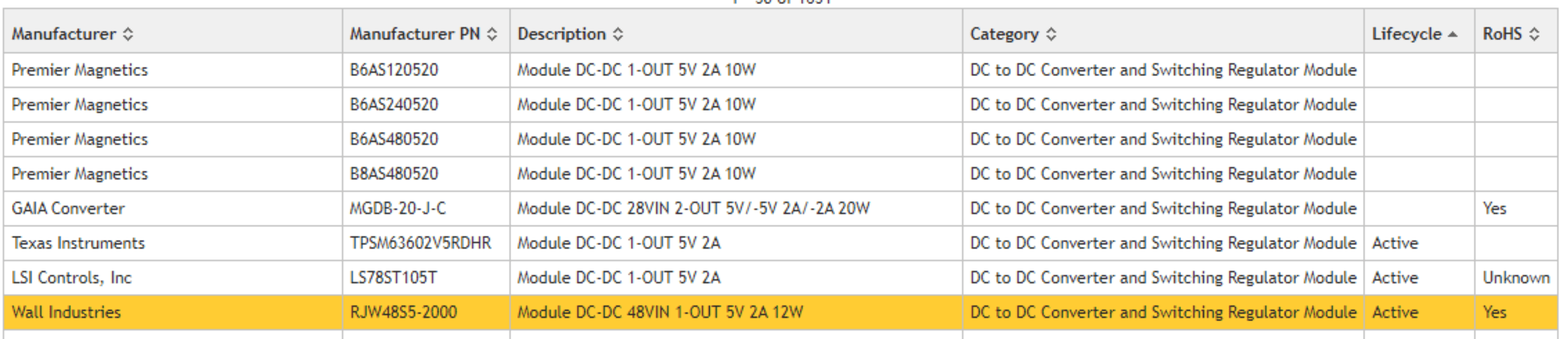
Step 9: Analyze additional supply chain information and device specifications, noting risk indicators such as inventory and multi-sourcing.
Step 10: Review additional results to compare alternatives.
Step 11: Select the ideal component based on electrical requirements and supply chain risk, including lifecycle status and availability.
Step 12: Select component-EC2SBW-48S05N-from-Cincon Electronics Co., Ltd.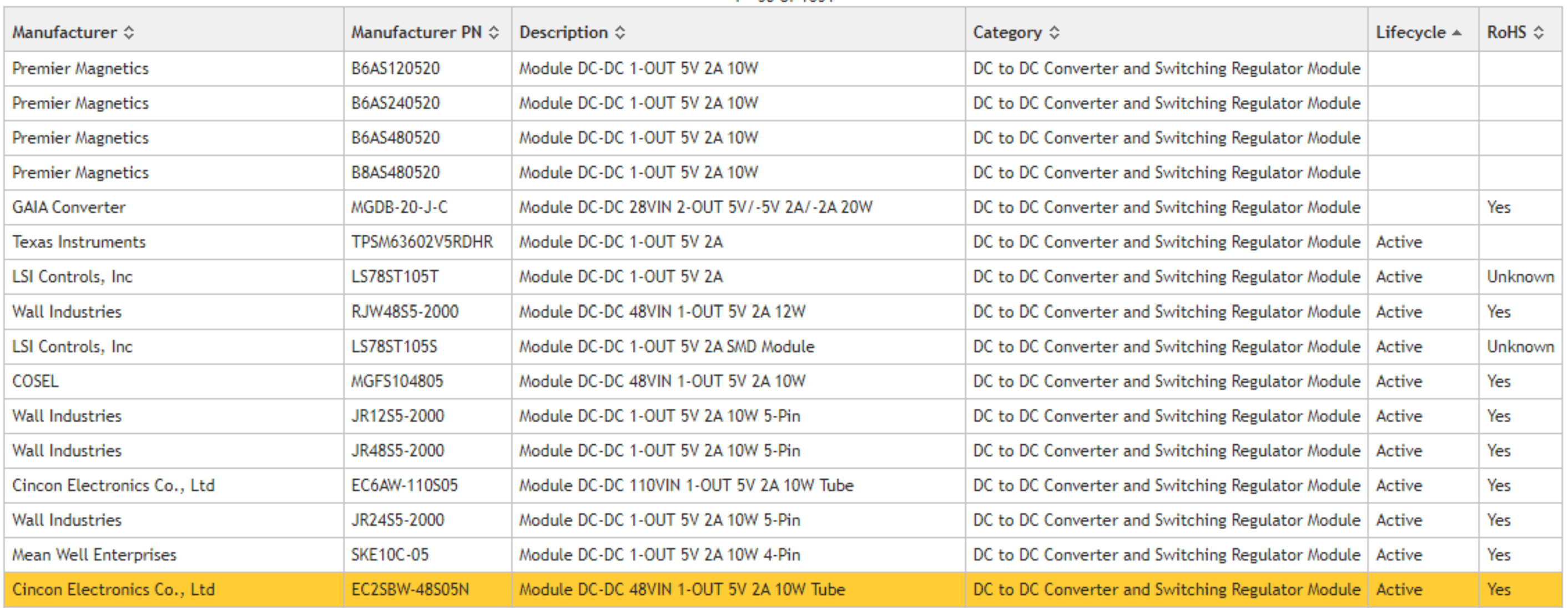
Step 13: Add the selected component to the database and assign symbol and footprint if available.
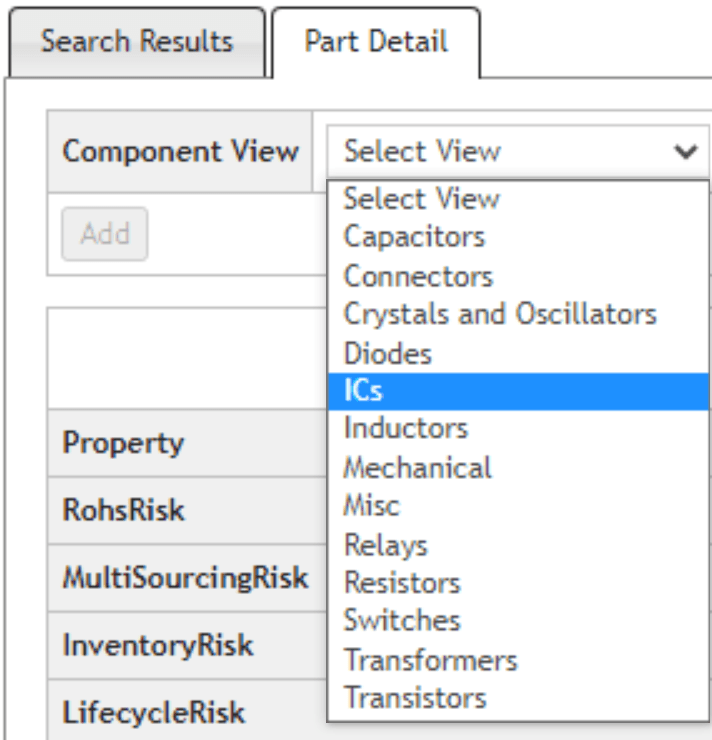
Step 14: Leave the symbol and footprint as-Unassigned-and click-Add. If symbols and footprints are available, they can be selected from the corresponding drop-down menu.
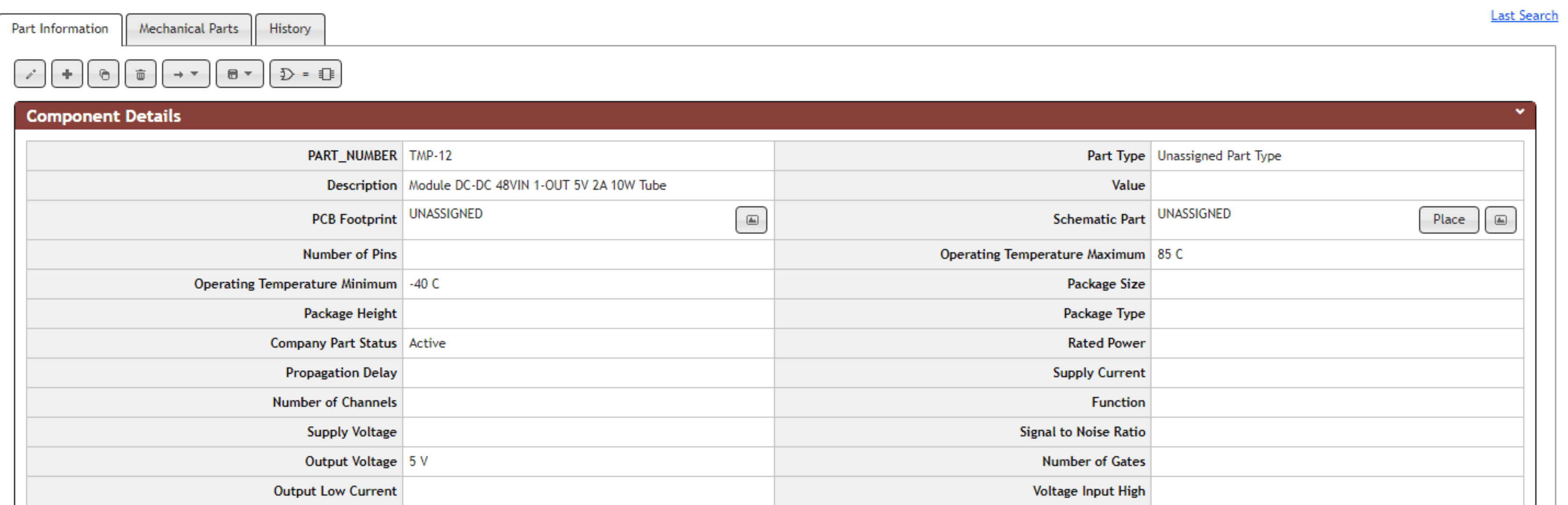
Step 15: Review the temporary component with associated supply chain data before approval.
Design Impact
Supply chain-aware design is no longer optional. Integrating supply chain intelligence into component selection reduces redesign cycles, stabilizes BOMs, and improves manufacturability outcomes. This ensures only orderable, compliant components are introduced into the design, reducing last-minute BOM changes and preventing delays during procurement and manufacturing. By embedding supply chain data into your workflow, engineering teams can reduce risk and accelerate time-to-market.